

SteamOS stopped being a Steam Deck exclusive in 2026, and that single change rewrote the handheld buying decision. With SteamOS 3.9, Valve’s operating system now installs on effectively every AMD-powered handheld, Lenovo is shipping a Legion Go 2 with SteamOS preinstalled this month, and Valve quietly raised Steam Deck OLED prices by roughly 45 percent at the end of May. The question is no longer which handheld has the fastest chip. It is which operating system you want to live in, and which hardware you want to run it on.
I have spent real hours with both camps: suspending a game mid-fight on a Steam Deck and picking it up two days later exactly where I left it, and also fighting a Windows handheld’s tiny taskbar with my thumbs to close a launcher that decided to update itself. Those two experiences sum up the whole debate. Here is how SteamOS and Windows actually compare in 2026, device by device, and which one earns your money at each price.
What SteamOS does better
SteamOS is a lean, controller-first build of Linux that boots straight into Steam’s Big Picture interface. You never see a desktop unless you ask for one. The standout feature is still suspend and resume: press the power button, the game freezes instantly, and days later it wakes in under two seconds. Windows sleep on a handheld is far less reliable, and most players learn to fully quit games instead of trusting it.
The second advantage is efficiency. Because SteamOS carries almost no background overhead, the same chip often runs cooler and lasts longer than it does under Windows. Per-game TDP sliders, framerate caps, and Proton compatibility are all built in, so a light indie title can stretch a Steam Deck OLED to six hours or more, while heavier games settle around two to three. Valve’s Proton translation layer has matured to the point where the large majority of the Steam catalog runs without you touching a setting. When players say a handheld “just works,” they are almost always describing SteamOS.
Where Windows still wins
Windows 11 keeps two advantages that matter. First is reach. A Windows handheld runs every storefront and launcher: Steam, Xbox Game Pass, the Epic Games Store, Battle.net, GOG, Ubisoft Connect, and EA’s app, all natively. If your library is scattered, or you live on Game Pass, that flexibility is hard to give up. Second is anti-cheat. A handful of competitive titles with kernel-level anti-cheat still refuse to run on Linux, so if you play certain live-service shooters, SteamOS can lock you out entirely.
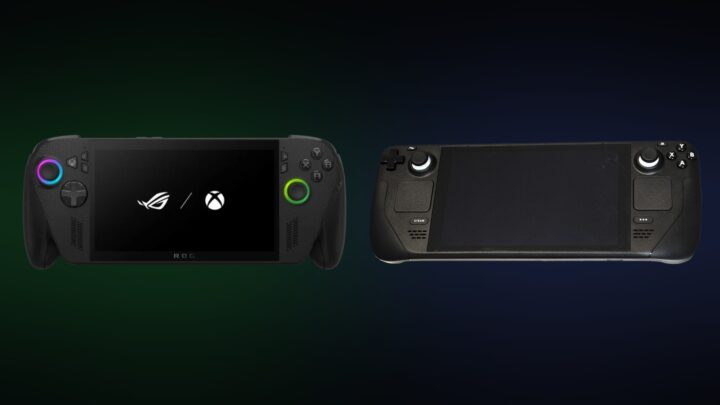
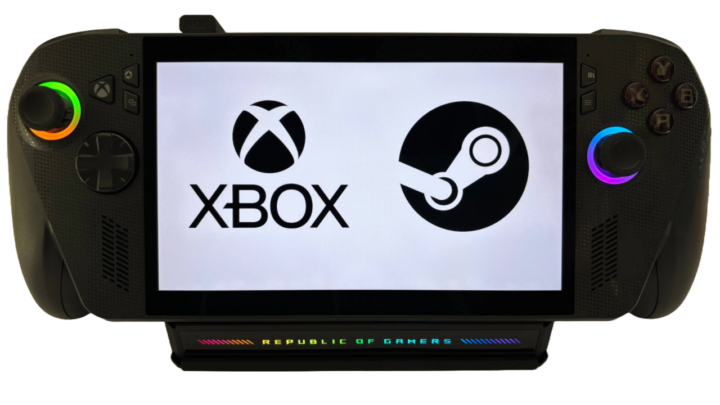
The old knock on Windows was the interface, and that gap has narrowed. The ROG Xbox Ally line ships with an Xbox full-screen experience that hides the desktop behind a controller-friendly launcher and frees up memory by not loading the normal Windows shell. It is the closest Windows has come to feeling console-like on a handheld. It still is not as seamless as SteamOS, but it is no longer the mess it was two years ago. For the background on this shift, see our earlier take on Windows 11 turning into an Xbox.
Steam Deck OLED: still the reference, now a harder sell
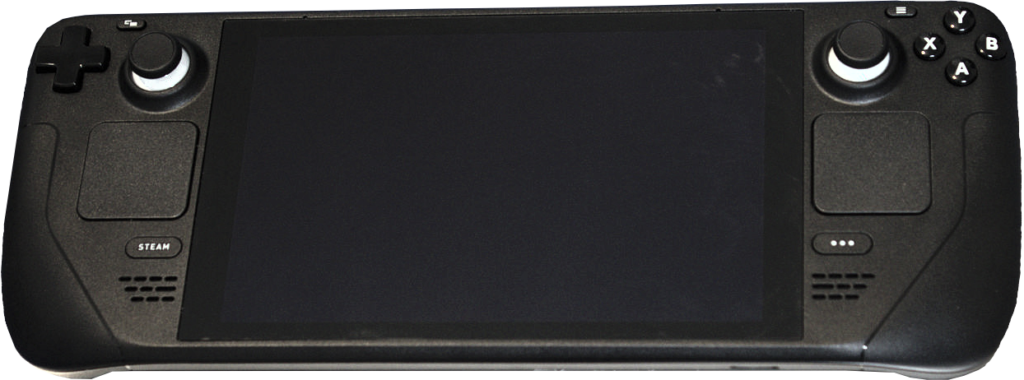
The Steam Deck OLED remains the most comfortable handheld I have used. The wide grips, offset thumbsticks, four back buttons, and balanced weight make long sessions easy on the hands, and the 7.4-inch HDR OLED screen still looks excellent. Its custom Zen 2 and RDNA 2 chip is the weakest of this group on paper, targeting 800p, but SteamOS squeezes real performance out of it and the hardware-software pairing is the tightest in the category.
The problem is the new price. On May 27, Valve pushed the 512GB OLED from $549 to $789 and the 1TB model from $649 to $949, blaming component costs and global logistics. That is close to a 45 percent jump, and it changes the math completely. We covered the full fallout in our breakdown of why the Steam Deck price hike ends the handheld golden era. The one escape hatch is Valve’s certified refurbished stock, where the 512GB OLED sells for $629 and the 1TB for $759 through the official Steam Deck store. Buy refurbished if you want this device, because the new retail price is hard to defend.
ROG Xbox Ally X: the Windows flagship
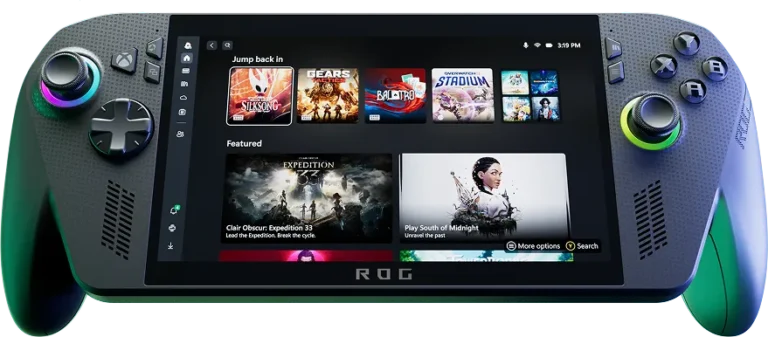
If you want raw power and Windows flexibility, the ROG Xbox Ally X is the one to beat. At $999, it pairs an AMD Ryzen AI Z2 Extreme with Zen 5 cores, 24GB of RAM, a 1TB SSD, a 7-inch 1080p 120Hz screen, and an 80Wh battery, the largest here. That headroom lets it run demanding games at settings the Steam Deck cannot reach, and the bundled three months of Game Pass Premium is a genuine sweetener for a Windows machine.
The trade-offs are the usual Windows ones: shorter battery life under load, around three to four hours in optimized games and less when you push the 30W ceiling, plus the occasional driver or update headache that SteamOS users never deal with. If $999 is too much, the base ROG Xbox Ally at $599.99 uses the slower Ryzen Z2 A and less RAM, and it is the more sensible Windows pick for most budgets.
Lenovo Legion Go 2 and Go S: SteamOS goes budget and premium
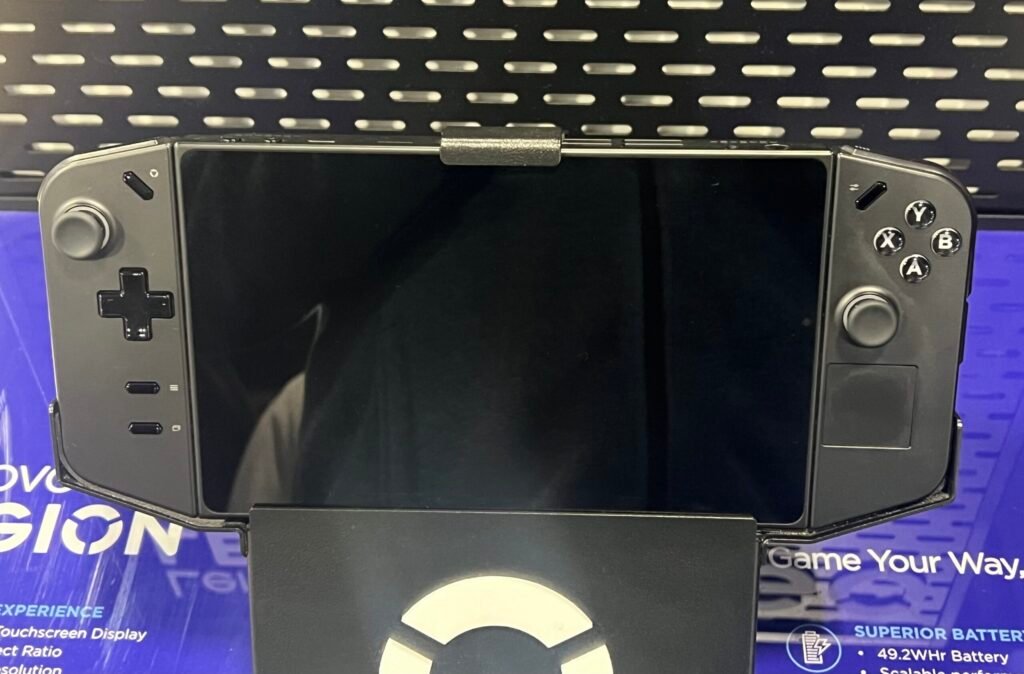
Lenovo is the company that took SteamOS off Valve’s island. The Legion Go S SteamOS Edition was the first non-Valve handheld certified to ship with SteamOS, and at $549.99 for the Ryzen Z2 Go model with 16GB of RAM, a 512GB SSD, and an 8-inch 120Hz 1920×1200 screen, it is the value champion of this entire group, especially now that the Deck costs $789. It regularly dips to around $499 on sale. TechRadar’s review called it the SteamOS machine to beat, and on price alone that is fair. A pricier Z1 Extreme configuration sits near $829 if you want more muscle.
At the top end, the Legion Go 2 SteamOS Edition lands in June at $1,199. It carries a Ryzen Z2 Extreme, up to 32GB of memory, an 8.8-inch 1920×1200 OLED running at 144Hz, a 74Wh battery, and dual USB4 ports. The Windows version launched in October 2025 at $1,350, so the SteamOS model is $150 cheaper, which says a lot about how Lenovo now sees SteamOS as the default for serious handhelds. It is expensive, but it is the most complete SteamOS device you can buy if budget is not the issue.
MSI Claw 8 AI+: the Intel outlier
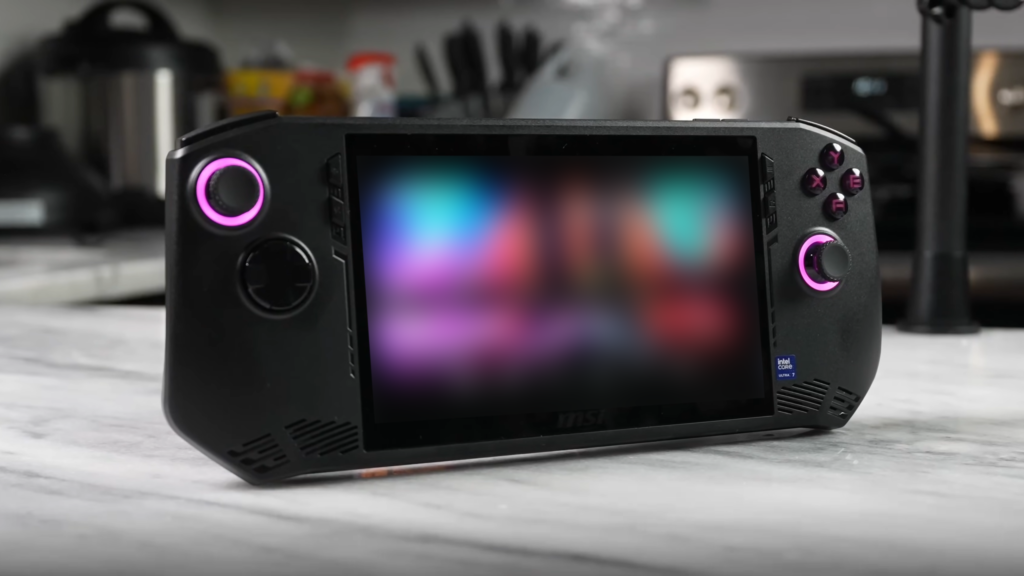
The MSI Claw 8 AI+ is the odd one out, and not only because it uses Intel silicon. Its Core Ultra 7 chip, 8-inch 120Hz screen, and 80Wh battery make it a strong Windows handheld, and Intel’s XeSS upscaling has improved enough that the Claw went from a punchline to a real contender. Pricing now sits around $999 after tariff-driven increases from its $899 launch.
Here is the catch for this comparison: the Claw cannot officially run SteamOS. Valve’s images target AMD hardware, and Intel handhelds are left out, so the Claw is a Windows-only proposition no matter how you feel about the OS. MSI is pushing further upmarket with the Claw 8 EX AI+, arriving June 23 with an Intel Arc G3 Extreme chip and a price said to reach $1,500. Buy a Claw because you specifically want Intel and Windows, not because you want a choice of operating system.
The DIY route: SteamOS on hardware you already own
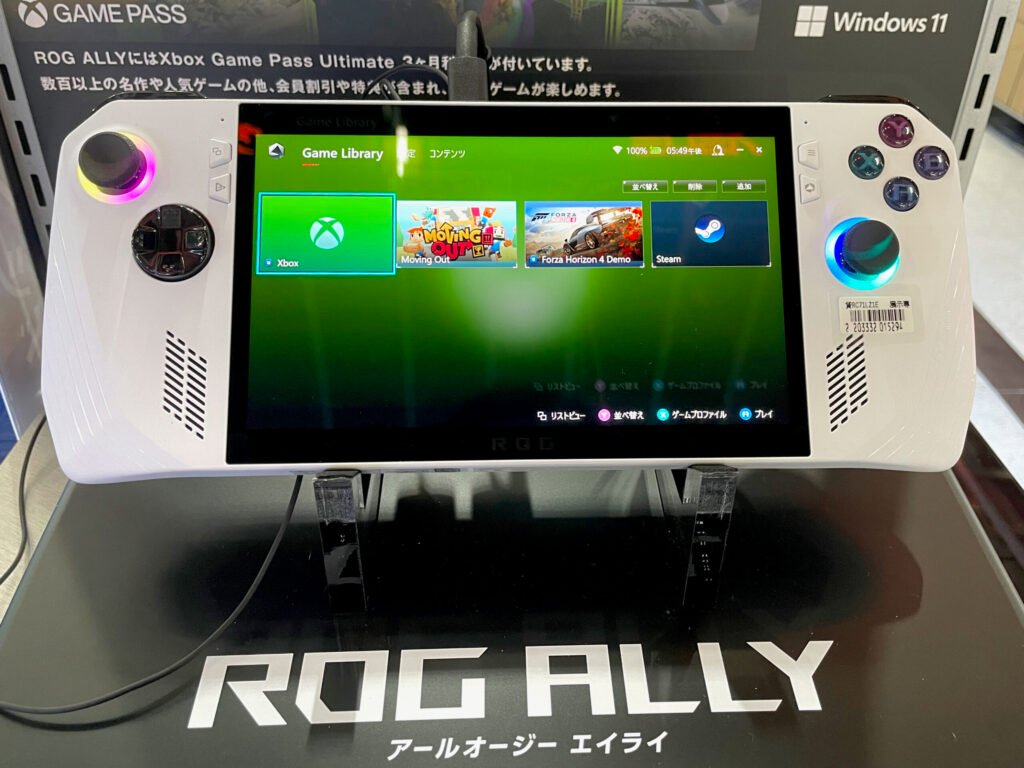
One of the quietest stories of 2026 is that you no longer need to buy a new device to get SteamOS. As XDA Developers reported, SteamOS 3.9 installs on essentially every AMD handheld, including the original ROG Ally and the first Legion Go. If you own one of those, or you find one heavily discounted, you can flash SteamOS and get most of the suspend-resume, battery, and simplicity benefits for free.
It is not perfectly frictionless on uncertified hardware. You may hit the odd quirk with fan curves, specific buttons, or sleep behavior, since Valve only officially supports the Deck, the Legion Go S, and the Legion Go 2. But for tinkerers, flashing SteamOS onto a cheap secondhand ROG Ally is the single best value play in handhelds right now. If you enjoy this kind of project, our look at the Odin 2 versus Retroid Pocket 5 covers the same instinct on the emulation side.
SteamOS vs Windows: pros and cons
| System | Strengths | Weaknesses |
|---|---|---|
| SteamOS | Instant suspend and resume, better battery efficiency, no desktop clutter, Proton runs most of Steam, free to flash on AMD handhelds | Some kernel anti-cheat games blocked, no native Game Pass or Epic app, no official Intel support |
| Windows 11 | Runs every launcher and Game Pass, full anti-cheat compatibility, broadest app support, Xbox full-screen mode closes the gap | Worse battery under load, unreliable sleep, updates and driver upkeep, heavier interface |
So which should you buy?
For most players in 2026, SteamOS has the upper hand. It is simpler, more efficient, and now available across more hardware than ever, and the Steam Deck’s price jump pushed the value crown straight to Lenovo. Windows still wins for a specific kind of buyer, and that is fine. Here is the short version by who you are:
- Best value, most people: the Lenovo Legion Go S SteamOS Edition at $549 (often $499 on sale). It is the cheapest way into a certified SteamOS device now that the Deck starts at $789.
- Best ergonomics and tightest SteamOS: the Steam Deck OLED, but only at the $629 refurbished price. Skip the $789 retail tag.
- Best power and Game Pass: the ROG Xbox Ally X at $999, or the base ROG Xbox Ally at $599.99 if you want Windows for less.
- Best premium SteamOS: the Legion Go 2 SteamOS Edition at $1,199, for its 8.8-inch 144Hz OLED and Z2 Extreme power.
- Best for tinkerers: a discounted AMD ROG Ally or original Legion Go with SteamOS 3.9 flashed on yourself.
My pick for the average buyer is the Legion Go S SteamOS at $549. It gets you Valve’s software, an 8-inch 120Hz screen, and none of the Windows housekeeping for hundreds less than the Deck or the Ally X. Buy Windows only if Game Pass or a specific anti-cheat game is non-negotiable. Everyone else should let SteamOS handle the boring parts and get back to the game.

Comments