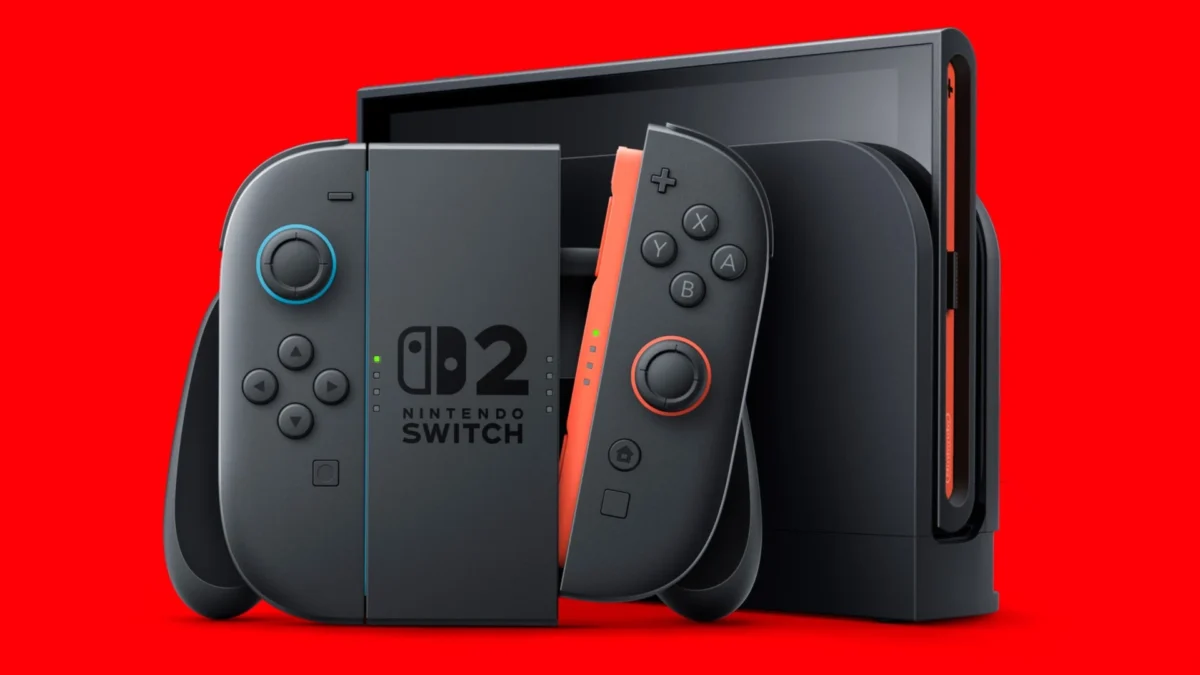
Nintendo has officially released system update 22.5.0 for both the original Nintendo Switch and the Nintendo Switch 2, introducing a redesigned eShop layout, dark mode integration, and expanded accessibility options. Released on June 15, 2026, this firmware update marks the first software refresh for both consoles since April 2026, delivering much-needed quality-of-life adjustments to the aging original hardware and continued refinements to its successor. The update is now live and will download automatically for most users, though manual installation is also available through the console settings.
The Nintendo Switch and Nintendo Switch 2 are hybrid gaming consoles developed and published by Nintendo, with the original hardware debuting in 2017 and the successor launching in 2025 to support the company’s massive library of first-party and third-party titles.
These updates focus heavily on user interface parity and accessibility, bringing several long-requested features to the forefront. While the newer console receives incremental language and stability updates, the original system receives a substantial visual overhaul to its digital storefront, aligning the two platforms closer together. With the newer platform now officially a year into its life cycle, comparing the hardware to other portable devices like in our Nintendo Switch 2 vs Steam Deck OLED comparison highlights how continuous software support remains crucial for maintaining a modern user experience.
Nintendo Switch 2 Update 22.5.0 Patch Notes
The latest firmware for the successor console focuses primarily on expanding accessibility features for international players, alongside the standard sweep of stability enhancements. This follows a major system update in March of this year, which introduced the “Handheld Mode Boost” and additional Game Chat features.
- New Text to Speech Languages: Added Dutch and Russian to the “Text to Speech” language options in the Accessibility menu. This allows the system to read on-screen text aloud in these languages.
- Expanded GameChat Functionality: Added Dutch and Russian as supported languages for the “Change Speech ⇔ Text During GameChat” feature in the Accessibility settings.
- General Stability: Implemented general system stability improvements to enhance the overall user experience and system performance.
Nintendo Switch Update 22.5.0 Patch Notes
The original console receives a much more noticeable visual upgrade in this release, particularly regarding the Nintendo eShop. These changes address long-standing complaints regarding storefront performance and visual design.
- Redesigned eShop Layout: The entire Nintendo eShop layout has been redesigned to improve navigation, load times, and overall responsiveness.
- Basic Dark Theme Integration: The Nintendo eShop color scheme will now reflect the system theme. If your theme in System Settings is set to “Basic Dark,” the eShop will now display in dark mode, matching the home menu.
- User-Verification PIN Security: Users can now require a User-Verification PIN to confirm actions when “Accessing Nintendo eShop” and “Using Saved Payment Methods,” adding an extra layer of account security.
- Video Playback Controls: Added the ability to rewind 10 seconds or advance 10 seconds using the ZL and ZR Buttons when watching a full-screen video in the News section or the Nintendo eShop.
- General Stability: Implemented general system stability improvements to enhance the user’s experience.
Nintendo Music Soundtrack Additions
Alongside the system firmware updates, Nintendo has also rolled out a content update for its dedicated Nintendo Music application. This update expands the available library with classic tracks, which requires an active Nintendo Switch Online subscription to access.
- New Mario Kart World Tracks: Added additional “Free Roam” songs from the Mario Kart World soundtrack.
- Retro Playlists: The new additions include classic tracks sourced from the Super Mario Bros. 1, Super Mario Bros. 2, and Super Mario Bros. 3 playlists, allowing users to listen through the app or a compatible web browser.
How Do You Manually Update the Nintendo Switch Firmware?
To manually update your system’s firmware, navigate to the System Settings menu from the home screen, scroll down to the “System” tab, and select “System Update” to check for and install the latest firmware. Ensure your console is connected to the internet and has sufficient battery or is docked during the installation process to prevent any corruption of system files. This update process applies to all models, including the original console, the Lite, the OLED, and the successor hardware.
Player Impact
The most significant takeaway from system update 22.5.0 is the long-awaited introduction of dark mode for the original Nintendo eShop. Since the console launched in 2017, opening the eShop at night while using the “Basic Dark” theme resulted in a blinding white screen because the storefront operated as a separate web applet. By finally forcing the eShop to respect the system’s dark theme, Nintendo has resolved a major visual pain point for late-night players. Furthermore, early player reports indicate that the redesigned layout substantially improves storefront loading speeds, addressing the notorious lag that has plagued the original system’s shop for years. This update follows other recent ecosystem additions, such as the Nintendo Today 3.3.0 update, which expanded retro support.
For families and security-conscious users, the addition of User-Verification PIN prompts for accessing the eShop and using saved payment methods is a major quality-of-life upgrade. This change prevents unauthorized purchases from children or guests who have access to the console, without requiring users to completely delete their saved credit card information. Meanwhile, the addition of Dutch and Russian text-to-speech options on the newer hardware ensures better accessibility parity across regions, continuing Nintendo’s post-launch support strategy for its latest ecosystem. Related: Nintendo Cut Off Amazon For Years Over Something Illegal.




Comments